AI TOOL / #10151
supermemory™
A universal memory API designed for AI, personalized LLM, providing unlimited context and simplified retrieval.
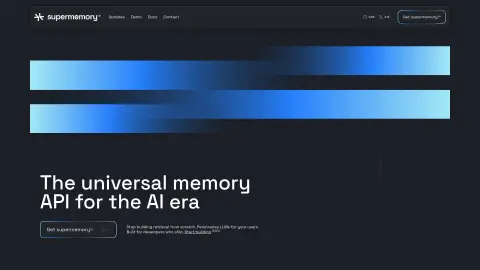
Introduction
Universal memory API for AI, personalizes LLMs, provides unlimited context, and simplifies retrieval.
What is supermemory™?
Super Memory is a universal memory API designed for the era of artificial intelligence to help developers stop building retrieval from scratch and personalize large language models (LLMs) for their users. It provides an unlimited context API that automatically provides long-term context in conversations. Built for publishing developers, it processes at any scale with enterprise-grade performance, enables seamless integration across teams and tools, and allows users to own their data while maintaining compliance and providing secure and controllable deployment options (cloud, private, on-device). It is model-agnostic, able to work with any LLM provider, and delivers sub-400ms latency based on optimal precision and recall.
How to use supermemory™?
Super Memory can be used by integrating its API or SDK into your application. To add a memory, send a POST request to `https://api.supermemory.ai/v3/memories` with content (text, URL, or PDF) and optional metadata. To search the memory, use query `q` to send a GET request to the same endpoint. To connect to applications such as OneDrive, use a specific connection endpoint (for example, `https://api.supermemory.ai/v3/connections/onedrive`). For OpenAI integration, simply change your OpenAI client's `baseUrl` to `https://api.supermemory.ai/v3/https://api.openai.com/v1/` to get automatic long-term context. The SDK is available for Python (`pip install supermemory`) and JavaScript (`npm install supermemory`).
core features of supermemory™
Universal memory API designed for the era of artificial intelligence
LLM’s unlimited context API
Low-latency retrieval for enterprise-class performance with billions of data points
Seamless integration across teams and tools (Notion, Google Drive, CRM, etc.)
Secure design, fully controllable deployment (cloud, private, local device)
Model-agnostic API (compatible with any LLM provider)
Achieve sub-400ms latency at scale
Excellent performance (strong precision and recall)
Compatible with AI SDK, Langchain, etc.
Language-agnostic SDK (Python, JavaScript)
Related
Imageye
Imageye is a browser-based extension for image scraping and batch downloading. It automatically scans all the images present on a current web page and offers features such as filtering, previewing, format conversion, and one-click batch downloading. With just one click, it can identify all visible and hidden images on the page and provide you with convenient access to them.
Zoom Earth
Recently, the weather in Zhengzhou has been absolutely unbearably hot. On the 16th, the maximum temperature reached 44 degrees Celsius! I’d like to share with you a map platform that allows you to observe the weather around the world. It’s called Zoom Earth. Zoom Earth is an interactive tool developed by Neave Interactive.
Image Toolbox
The Image Toolbox is an open-source, free, and versatile image-processing tool for Android devices. If you frequently need to edit images, this app is definitely one of the essential tools in your mobile device arsenal. It offers features such as pixel-level drawing, filters, batch processing, format conversion, and even AI-powered functions.
Universal small in-AI thesis expert
Universal Xiaoin is an AI creation assistant with 130 + AI applications. With just a title, you can quickly generate a literature review, issue report, PPT, work summary, and so on. Demonstrating that the tool calls itself a thesis artifact, I opened the membership to try it out and found that this tool is really something!, I asked him to help
CrxDL
As is well known, it is not possible to access the Google Chrome extension store normally in China. If you want to install extensions for your Chrome browser, you have to first download the corresponding.crx files locally before installing them. CrxDL is exactly a service that allows you to search for such extensions.
docsmall
docsmall is a completely free online image and PDF processing tool that supports image format conversion, image compression, GIF compression, PDF editing, and more. It also supports AI-powered image processing features, such as lossless image enlargement, automatic image cropping, and smart erasing. Below, I’ll share a few features I frequently use