AI Card Bao FBKPNJTPMWDASH.AICARDBAO.COM
Home / ai-daily life / PixEditor AI
AI TOOL / #11287

PixEditor AI

An online AI image editor that allows users to modify images with just one sentence.
Introduction

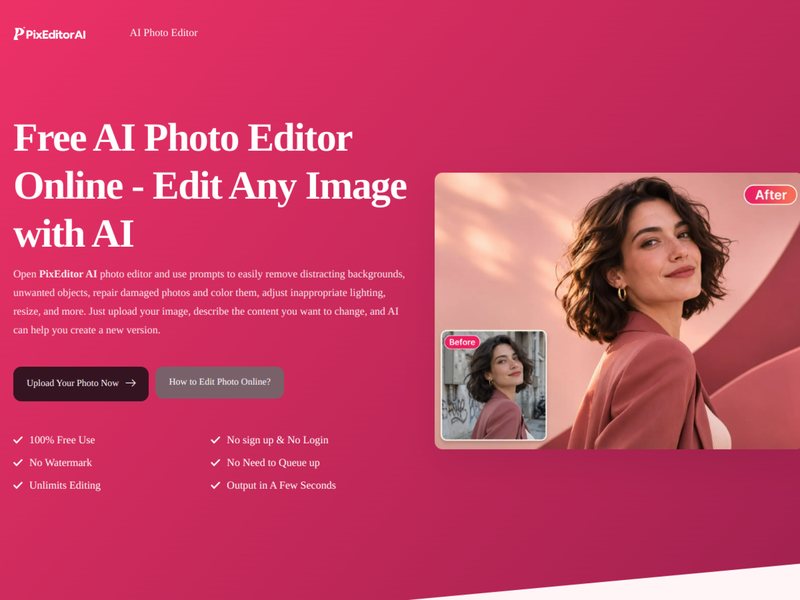
PixEditor AI is an online AI image editing tool. Its usage is simple: simply upload your image and then describe in detail how you would like to make changes to it. Removing backgrounds, deleting unnecessary objects, restoring old photos and adding colors, or adjusting the lighting—all of these can be done with just a few words.

According to the official website, it is free to use, requires no registration, eliminates the need for waiting in line, and there are no limits on the number of uses. The editor is available immediately upon opening the homepage, and there is no login barrier. Payment options are not displayed on the home page.

This kind of “zero-barrier” tool is most suitable for temporarily processing a few images—e-commerce sellers can use it to remove backgrounds, while ordinary users can use it to edit old photos. It’s hard to say how long the free and unlimited usage will last, so it’s advisable to check in advance regarding the output resolution and whether commercial use is permitted. The interface is in English, but most of the operations can be performed without needing to understand the instructions completely.

Relevant prompts and tools
AI image promptsTips for Portrait PhotographyTips for using images of portraits, photographs, identification photos, and those related to makeup – each tip is accompanied by an example image.Image Caption TutorialHow to use reverse deduction prompts: Extract useful keywords from images.Check the subject, style, lighting, and composition, and extract stable features by analyzing the intersections of multiple images.Free image toolsOnline Nine-Square Image Cutting ToolOne-click switching between the circle format and Instagram’s nine-grid layout.
Visits:127 Updated:2026-11-24 Popular tools

Related

Doc2X PDF Translation/Conversion/Recognition Doc2X is a PDF document analysis tool developed based on large AI models. It is capable of accurately identifying PDF documents such as research papers, financial reports, educational materials, and books, and converting them into editable formats like Word, HTML, LaTeX, or Markdown. Its high-precision recognition capabilities make it an extremely useful tool. Nuclear bomb map NUKEMAP NukeMap is a website for visualizing the effects of nuclear bombs. It uses open source physics and weapons models to provide a simplified view of the consequences of a nuclear explosion, helping people to intuitively understand the power of nuclear weapons. Supports inputting any city or specific location on the global map, and supports selecting the yield of the nuclear bomb (from historical Using PaperFake-AI to write papers PaperFake is an AI-based paper-generation tool that utilizes the full-capacity DeepSeek model. It helps users easily obtain inspiration for their papers and focuses on providing efficient and highly original services for creating academic manuscripts. All users need to do is enter the title of their paper and select the relevant field of study, and the system will take care of the rest. Dingdong is easy to remember – AI video to text conversion Dingdang Haoji is an AI audio and video transcription and summary tool that supports video/audio image and text transcription, translation, summary, and mind map outline. Video to text conversion supports accurate conversion of audio recordings, video content into text, and automatic capture of key images such as PPT. For example: I will directly refer to my Conch AI Hailuo AI is an AI-powered productivity tool developed based on MiniMax’s trillion-parameter MoE text model, voice model, and image model. It can assist you in creating copywriting, composing music, producing videos, conducting intelligent searches online, recognizing images automatically, and it also supports voice calls. 10 Online Photoshop editing miniPaint is an online image editing tool that functions in a manner similar to Photoshop. You can also consider it as a simplified alternative to Adobe Photoshop. miniPaint offers all the basic features of Photoshop, making it an excellent choice for quick and temporary image edits. Key features: