AI TOOL / #02287
Bing Copilot
A Chrome extension that integrates Bing Search and an AI assistant to enhance the browsing experience.
Introduction
A Chrome extension integrating Bings search and AI Copilot for enhanced browsing.
What is the Bing Copilot AI Chrome extension/plug-in?
Bing Assistant is an extension for the Google Chrome browser, designed to enhance the browsing experience by integrating Bing’s search capabilities directly into the browser. As an AI assistant, it simplifies online searches and browsing activities, allowing users to quickly access a vast amount of information from a new tab.
How to use the Bing Copilot AI Chrome extension/plug-in?
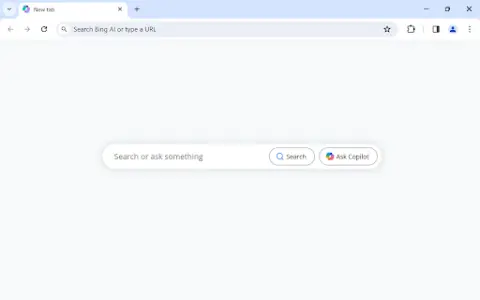
Install the extension, open a new tab, and use the “Search” button to send your query to Bing, or use the “Ask Assistant” button to engage in a conversational search with Bing AI Assistant.
The core functions of the Bing Copilot AI Chrome extension/plug-in
Seamless integration of Bing search with the Chrome browser
Use Bing AI Assistant to search for conversations.
Quickly access search and AI features from a new tab.
Related
Meetingtor: Record online meetings
A Chrome extension designed for recording, transcribing, and summarizing online meetings.
InterviewPrep AI
A Chrome extension for mock interviews that provides real-time transcription and AI-powered analysis.
*Collect*
An AI-powered Chrome extension designed for content planning, creation, and team collaboration.
Superpowered
AI Meeting Notes Assistant – transcribes and summarizes meetings in real-time, without the need for robots or recording devices.
Audionotes Pro
AI note-taking tools convert speech, text, and video into structured summaries and content.
Voiceform
Voiceform allows users to create conversational surveys and forms using voice, video, audio, and text.