AI TOOL / #02529
Text to Google Calendar
Chrome extension: Allows users to create Google Calendar events directly from highlighted text.
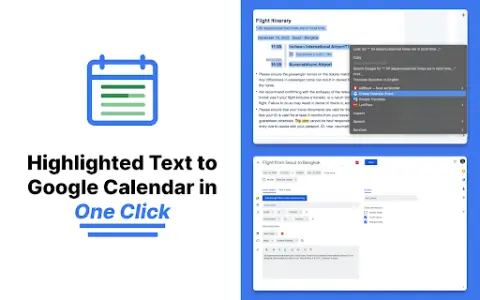
Introduction
Chrome extension to create Google Calendar events from highlighted text.
What is the Text to Google Calendar AI Chrome extension/plug-in?
Text to Google Calendar is a Chrome extension designed to simplify the process of creating events on Google Calendar. It allows users to highlight text from emails or web pages and convert that text into calendar events with just one click, eliminating the need to manually copy and paste event details.
How to use the Text to Google Calendar AI Chrome extension?
Install the Text to Calendar Chrome extension. Highlight the relevant text containing event details (date, time, description, location) on a web page or in an email. Click the extension icon, and it will automatically use the extracted information to create a Google Calendar event.
The core functionality of the Text to Google Calendar AI Chrome extension.
Click to create an event based on the highlighted text.
Automatically fill in the time zone, location, and event details.
Easily create multiple and duplicate calendar events.
Related
Brev.ai
Brev.ai is an AI music generator that converts text into high-quality music and accompaniments.
Convai
A dialogue AI API used for creating interactive characters and voice-enabled applications.
Conversational Replicas by Tavus
Tavus: AI video research for building human-like AI interactions and digital twins.
Deepfakes.lol
Create lip-syncing deepfake videos and hilarious memes.
GenVid
An AI-driven platform provides personalized ABM login pages to enhance external conversion rates.
Just Think AI
An integrated AI platform that offers chat functionality, text-to-speech conversion, as well as art and video generation services.