AI TOOL / #02660
Grok Button
A browser extension that provides quick access to Grok AI.
Introduction
A browser extension for quick access to Grok AI.
What is a Grok Button?
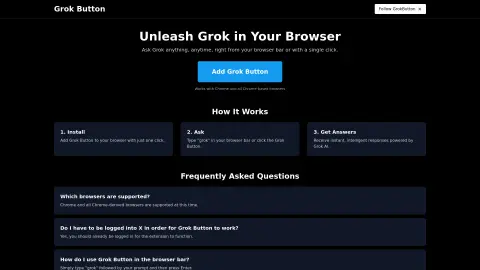
The Grok button is a browser extension that seamlessly integrates the powerful capabilities of Grok AI into your web browser. Users can submit their questions by entering “grok {your question}” in the browser address bar or by clicking the Grok button, and they will receive instant, intelligent responses.
How to use the Grok Button?
Install the Grok button extension. To use it, enter “grok” followed by your question in the browser address bar, then press Enter, or click the Grok button.
The core functionality of the Grok Button
Quickly access Grok AI from your browser.
Answer questions immediately
Integration with Chrome and Chrome-based browsers
Related
Eduzen.ai
An artificial intelligence-powered learning platform that offers flashcards, quizzes, recorded lectures, and mind maps.
INSTANTKNOW
Website monitoring tools are used to track changes, compare different versions of websites, and generate automated alerts.
Sleep On It = sentiment analysis for Gmail
“Sleep On It” uses emotional analysis to prevent you from sending angry emails.
Journo AI
AI platforms automate the processing of financial news, thereby enhancing production efficiency and the quality of reports.
Lexal
A free Chrome extension that enhances critical thinking and browsing efficiency through Gemini.
conversAItions
Real-time AI dialogue assistant, used for fact verification, note-taking, and intelligent suggestions.