AI TOOL / #03163
FuseBase Clarity – Capture Step-by-Step guides, SOP and tutorials
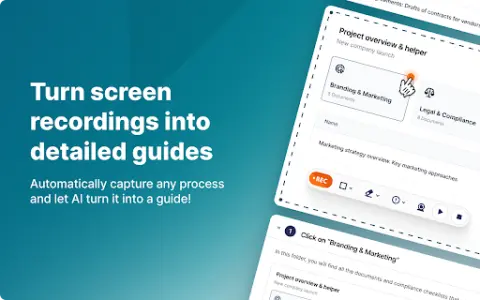
Screen recording tool that automatically creates guides with AI editing and sharing capabilities.
Introduction
Screen recording tool that automatically creates guides with AI-powered editing and sharing.
What is Fusebase Clarity ai chrome extension/plugin?
Fusebase Clarity automatically records your screen and automatically creates a guide with screenshots and instructions. It's possible to edit instructions using an AI assistant, add new elements like tips, tables, and files using the powerful editor, and share guides with friends and colleagues or create your own knowledge base.
How to use Fusebase Clarity ai chrome extension/plugin?
Record your screen and Fusebase Clarity will automatically generate a guide. Edit instructions with an AI assistant, add elements using the editor, and share guides with others.
Core features of Fusebase Clarity ai chrome extension/plugin
Automatic creation guide from screen recording
Artificial Intelligence Powered Description Editor
Powerful editor for adding elements
Convenient sharing and knowledge base creation
Related
Pansophic
An AI-based user interview platform designed for scalable research and feedback analysis.
Nichely
An AI-powered SEO tool for topic and keyword research that helps you dominate your niche.
InsightFactory
Etsy tools to find trends, research keywords, and analyze competitors.
ExamEye
Chrome extension for analyzing browsing behavior during exams, focusing on the use of ChatGPT.
Course Decode
The course decodes and analyzes LinkedIn profiles to show career paths by degree.
Campana
A competitive intelligence tool that provides competitor data, notifications, and AI-driven insights.