AI TOOL / #04004
Summarize *this* Article
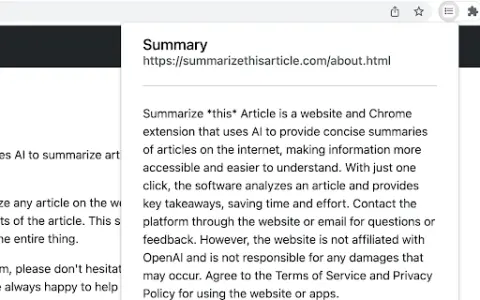
The Chrome extension that uses OpenAI to generate article summaries allows users to customize the length of both the prompts and the generated summaries.
Introduction
Chrome extension using OpenAI to summarize articles with customizable prompts and length.
What is the “Summarize This Article” AI Chrome extension?
In summary, this article describes a Chrome extension that utilizes OpenAI to generate summaries of articles found on the Internet. It allows users to customize the length of the prompts and summaries generated. The user’s API key is securely stored within the Chrome environment.
How to use the Summarize This Article AI Chrome extension?
Install the extension from the Chrome Web Store. After installation, navigate to any article on the Internet and activate the extension. You can customize the prompts and settings as needed; the extension will then use OpenAI to generate summaries for those articles.
Summarize the core functions of this AI Chrome extension/plugin.
Using OpenAI to generate article summaries
Customizable prompts
The length of the summary can be customized.
Storing API keys securely in Chrome
Related
MavTools
We seek expert feedback regarding website content, design, and SEO strategies in order to enhance customer conversion rates.
midlibrary.io
A library of Midjourney AI styles, SREF code, guides and tools.
Browse AI: Fast Web Scraping & Monitoring
A no-code web scraping tool for automating data extraction and turning websites into APIs.
MaxBot Plus
An automated online ticket purchasing tool that offers efficient ways to buy tickets.
Makeayo
A Windows-based generative art creation tool that features artificial intelligence-driven capabilities and provides control over the creative process.
Cerebrium
A serverless AI infrastructure platform for building, deploying, and scaling AI applications – offering significant cost savings.