AI TOOL / #04214
Spot AI
Spot AI reads web pages to answer your questions.
Introduction
Spot AI reads webpages to answer your questions.
What is the Spot AI Chrome extension/plug-in?
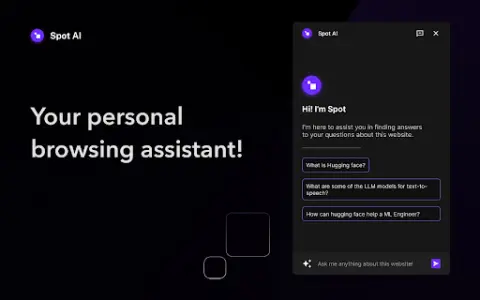
Spot AI is a browsing assistant that can read web content and answer questions based on that information. It enables users to easily conduct research and obtain information. It is available as an extension for Chrome and is also compatible with Brave and Arc browsers. Once installed, it can be activated by using the CMD/CTRL + K shortcut key.
How to use the Spot AI Chrome extension/plug-in?
Install the Spot AI extension in Chrome, Brave, or Arc. After installation, activate it by using CMD/CTRL + K. For the best experience, fix the extension in your browser. Then, pose your question, and Spot AI will read the relevant text on the web page to provide you with an answer.
The core functions of the Spot AI Chrome extension/plug-in
Read a web page and answer questions based on its content.
Compatible with Chrome, Brave, and Arc browsers.
Launch it by pressing CMD/CTRL + K.
Related
Mindful Extension
A browser extension designed for real-time emotional analysis and network security purposes.
AI Detector & Plagiarism Scan
The AI detector helps maintain the quality of content by analyzing text generated by AI systems and applying humanized processing techniques to that text.
Decopy AI
AI writing tool that improves content clarity with detection, humanization, and summarization capabilities.
Clickmate
A Chrome extension that uses artificial intelligence to detect and prevent click-baits on Facebook.
NittyGritti
NittyGritti generates content quality assessment scores by automatically analyzing the trace elements present in PDP materials.
brainwashd
A platform that analyzes incorrect information and potential biases in news reports and tweets.