AI TOOL / #05766
AI Content Labs
AI content creation platforms integrate multiple AI providers, enabling faster, more affordable, and easier content generation.
Introduction
AI content creation platform integrating multiple AI providers for faster, cheaper, and easier content generation.
What are AI Content Labs?
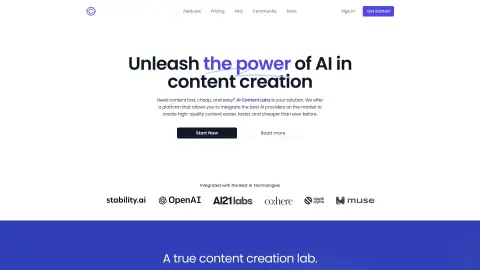
The AI Content Laboratory is a content generation platform based on artificial intelligence, which integrates multiple AI providers such as OpenAI, Anthropic, and Google. It allows users to connect their preferred AI tools and create integrated workflows for generating multimodal content quickly and efficiently. The platform offers visual interfaces for designing and automating the content creation process, and supports the integration of text, image, and voice AI technologies. It also provides guidance and procedures for accessing community libraries, enabling users to customize and adjust the content generation process according to their specific needs.
How to use AI Content Labs?
To use the AI Content Lab, first connect it to your text and image AI providers. You can choose from pre-defined models or use the visual tools to design your content creation process. Draw inspiration from community templates and customize them to suit your project needs. Then, bring your ideas to life by generating a large amount of text and visual content that is specifically tailored for your target audience.
The core functions of AI Content Labs
Integration with multiple AI providers (OpenAI, Anthropic, Google, etc.)
Visual process design for content creation workflows
Multimodal content generation (text, images, audio)
Tips and procedures for the community library
Customizable prompts and content creation processes
Team collaboration features
Related
Imageye
Imageye is a browser-based extension for image scraping and batch downloading. It automatically scans all the images present on a current web page and offers features such as filtering, previewing, format conversion, and one-click batch downloading. With just one click, it can identify all visible and hidden images on the page and provide you with convenient access to them.
Zoom Earth
Recently, the weather in Zhengzhou has been absolutely unbearably hot. On the 16th, the maximum temperature reached 44 degrees Celsius! I’d like to share with you a map platform that allows you to observe the weather around the world. It’s called Zoom Earth. Zoom Earth is an interactive tool developed by Neave Interactive.
Image Toolbox
The Image Toolbox is an open-source, free, and versatile image-processing tool for Android devices. If you frequently need to edit images, this app is definitely one of the essential tools in your mobile device arsenal. It offers features such as pixel-level drawing, filters, batch processing, format conversion, and even AI-powered functions.
Universal small in-AI thesis expert
Universal Xiaoin is an AI creation assistant with 130 + AI applications. With just a title, you can quickly generate a literature review, issue report, PPT, work summary, and so on. Demonstrating that the tool calls itself a thesis artifact, I opened the membership to try it out and found that this tool is really something!, I asked him to help
CrxDL
As is well known, it is not possible to access the Google Chrome extension store normally in China. If you want to install extensions for your Chrome browser, you have to first download the corresponding.crx files locally before installing them. CrxDL is exactly a service that allows you to search for such extensions.
docsmall
docsmall is a completely free online image and PDF processing tool that supports image format conversion, image compression, GIF compression, PDF editing, and more. It also supports AI-powered image processing features, such as lossless image enlargement, automatic image cropping, and smart erasing. Below, I’ll share a few features I frequently use