AI TOOL / #05876
Do Browser
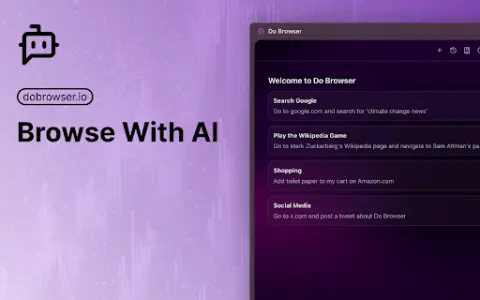
An AI-powered Chrome extension that enables control of the browser via natural language commands.
Introduction
AI-powered Chrome extension for browser control using natural language.
What is a Do Browser AI Chrome extension/plug-in?
Do Browser is an AI-powered extension for Chrome that allows users to control their browser using natural language commands. It provides quick access through the address bar or keyboard shortcuts and also supports voice commands. Its purpose is to simplify tasks such as filling out forms, shopping, and navigating complex web interfaces.
How to use the Do Browser AI Chrome extension/plug-in?
Enter “do” in the address bar or use the shortcut keys Cmd+K/Ctrl+K to activate the Do Browser. Then, use natural language commands to instruct the extension to perform tasks within the browser.
What are the core functions of browser AI Chrome extensions/plugs?
Natural Language Browser Control
Access via the address bar and keyboard shortcuts
Voice command support available
Related
Social Media Bio Generator
An AI-powered tool for generating unique and tailored social media bios.
Gustabot
Automate WhatsApp using APIs, ChatGPT, and custom commands.
DeckBird
DeckBird enhances presentation engagement with email embeds, AI narration, and CRM integration.
Typer
An AI text and image generator for articles, images, code, and more.
Butter Reader
ButterReader transforms blog posts into engaging audio content and offers customizable features to enhance the user experience.
Voqul
Artificial intelligence-powered tools used to convert audio and create unique, AI-generated musical experiences.