AI TOOL / #06135
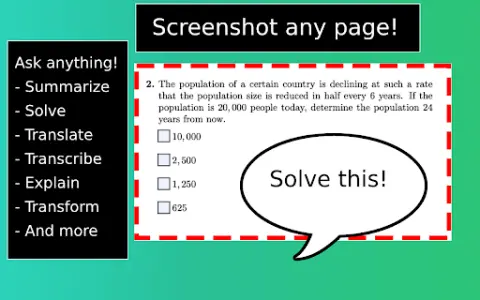
Ask Screenshot for ChatGPT
Improve ChatGPT productivity by analyzing screenshots and selected text.
Introduction
Enhances ChatGPT productivity by analyzing screenshots and selected text.
What is the Ask Screenshot AI Chrome extension/plugin?
Ask Screenshot is a tool designed to improve productivity in ChatGPT, allowing users to analyze screenshots or selected text directly within ChatGPT. It offers features such as summarization, transcription, and translation, making it easier to extract information and process content from visual and textual sources.
How do I use the Ask Screenshot AI Chrome extension/plugin?
To use Ask Screenshot, right-click anywhere on any page and hover over Ask GPT to access the available screenshot templates. For selected text, right-click the selected text and hover over Ask GPT to view the available templates.
Core features of the Ask Screenshot AI Chrome extension/plugin
Screenshot and analyze: Take a screenshot and automatically open it in ChatGPT for analysis.
Text selection and analysis: Right-click any selected text to automatically open it in ChatGPT.
Related
Safenet Browsing Experience
Locally detect and blur vulgar images on web pages to protect users' privacy.
mxhero.com
mxHERO AI: Integrating LLM AI for email security, governance, and sustainability.
Plagiarism Remover
AI-based tool to remove plagiarism and make content unique.
Mindful Extension
A browser extension designed for real-time emotional analysis and network security purposes.
AI Detector & Plagiarism Scan
The AI detector helps maintain the quality of content by analyzing text generated by AI systems and applying humanized processing techniques to that text.
Decopy AI
AI writing tool that improves content clarity with detection, humanization, and summarization capabilities.