AI TOOL / #06433
Tali AI
A Chrome extension tool for dictating medical notes and accessing medical databases within EHR systems.
Introduction
Chrome extension for dictating medical notes and accessing medical databases within EHR systems.
What is the Tali AI AI Chrome extension/plugin?
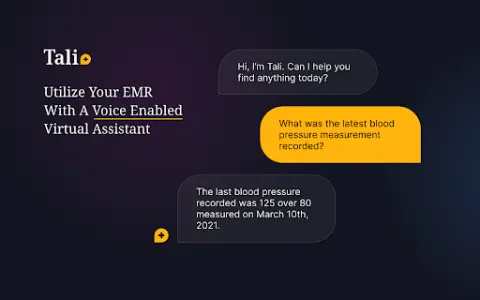
Tali AI is a Chrome extension designed to simplify medical note-taking and information retrieval, built specifically for healthcare professionals. Users can dictate notes directly into electronic health record (EHR) software via voice input and access evidence-based medical database information while using the EHR interface.
How do I use the Tali AI AI Chrome extension/plugin?
1. Install the Tali Chrome extension.
2. Sign in with your Google account.
3. Select a text area in the EHR.
4. Click the microphone icon to start dictating.
5. Speak clearly to enter notes directly into the EHR.
Core features of the Tali AI Chrome extension/plugin
Dictate medical notes directly into the EHR system.
Access evidence-based medical databases within the EHR
Speech-to-text transcription
Google Account integration
Related
Xspiral
An online 3D visualization tool that integrates 2D/3D design capabilities with artificial intelligence.
Brick Generator
Generative artificial intelligence tools that create Lego designs based on textual descriptions.
TRELLIS 3D AI
Free AI tool converts images into professional 3D assets.
Luma AI
Luma AI: Captures a vibrant 3D world, with details that are as realistic as those in photographs.
AI Roast Generator
Free AI tools for generating humorous jokes and witty responses.
Dreamly
Dreamly: Become a creator and earn money by posting a variety of content, with the assistance of AI.