AI TOOL / #06631
Voice-to-ChatGPT
Voice-controlled ChatGPT interactions via browser plug-in.
Introduction
Voice-controlled ChatGPT interaction via a browser extension.
What is the Voice-to-ChatGPT ai chrome extension/plugin?
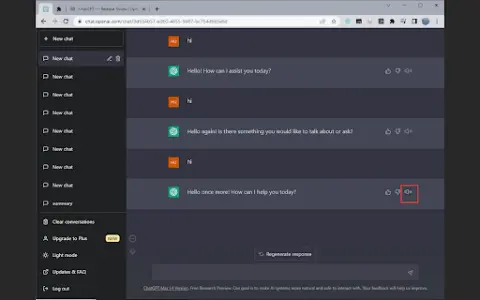
Voice Control ChatGPT is a browser plug-in that allows users to interact with the ChatGPT language model through voice. It leverages Google Chrome's speech recognition and text-to-speech technology to enable users to use voice input and audible replies from ChatGPT. Users can hold down the button to speak their question, release the button to send, and optionally cancel or edit before sending.
How to use Voice-to-ChatGPT ai chrome extension/plugin?
Open the ChatGPT homepage, press and hold the Talk button to speak, and release the button to send your question. You can cancel or edit your entry before sending.
Voice-to-ChatGPT ai chrome extension/plugin core functionality
Voice input to ChatGPT
Text-to-speech output for ChatGPT
Major languages supported
Press and talk function
Related
DuoSoft
DuoSoft Software provides enterprise custom software, digital transformation and consulting services.
Digital Software Labs
The Digital Software Laboratory offers customized software, artificial intelligence development services, and IT solutions.
atQor
atQor: A company specializing in Azure, offering services in data and artificial intelligence consulting as well as Microsoft-based solutions.
ai-dog.net
An AI-driven content creation platform that generates high-quality content efficiently.
Plannit AI
An AI-powered business plan generator that provides resources and tools to assist entrepreneurs.
Zoviz
One-click logo generation and branding tool with unique icons and lifetime access.