AI TOOL / #06677
Voice Control for Netflix
Use voice control to operate Netflix: play, pause, fast-forward, and more.
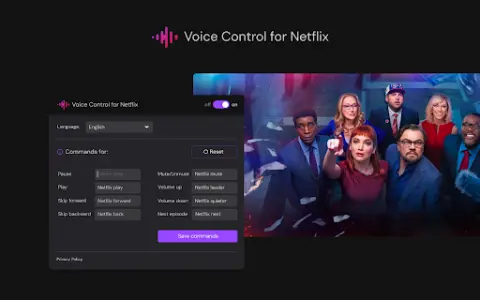
Introduction
Control Netflix with your voice: play, pause, fast-forward, and more.
What is the Voice Control for Netflix AI Chrome extension/plugin?
Netflix’s voice control allows users to manage their Netflix experience via voice commands. This includes tasks such as playing, pausing, and advancing videos, all without the need to use a remote control or touch the screen.
How to use the Voice Control feature for the Netflix AI Chrome extension/plug-in?
Simply enable Netflix’s voice control, and then use voice commands to control playback, navigate the menu, and search for content.
The core functionality of the Netflix AI Chrome extension/plugin for voice control
Use voice control to operate Netflix playback functions (play, pause, fast forward, rewind).
Hands-free navigation, Netflix menu
Voice search for films and TV shows
Related
FallacyFilter: Bias & Fallacy Detector
An AI Chrome extension designed to detect biases and errors in online text.
AI or Not
AI detection tools used to examine images, audio files, and KYC documents in order to prevent fraud.
AI Content Detector for ChatGPT – Sapling.ai
The AI content detector verifies texts written by humans and identifies content generated by AI.
KnowledgeBot
Conversational AI capable of self-verification, citing sources and learning from experts.
AICheatCheck
A web app that helps educators detect AI use in student writing.
Vera: Use AI to Verify Facts and Misinformation Online
AI-powered Chrome extension that identifies misleading information and fact-verifies in real time.