AI TOOL / #07006
Solvr
Solvr is a free Chrome extension that provides instant AI-powered answers right inside the browser.
Introduction
Solvr is a free Chrome extension for instant AI-powered answers within your browser.
What is Solvr?
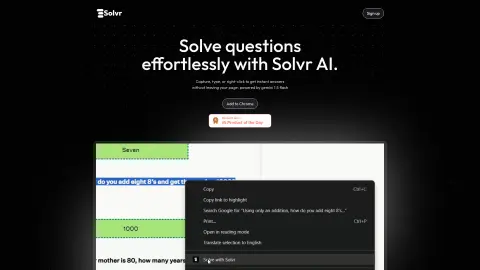
Solvr is a free Chrome extension that provides instant answers directly in the browser. Highlight text to get answers with Solve with Solvr, take a screenshot with Capture & Solvr, or type a question with Text & Solvr. It allows users to easily solve problems through AI, capture the screen, type or right-click to get instant answers without leaving the page.
How to use Solvr?
Install the Solvr Chrome extension. Highlight text and right-click Solve with Solvr, use Capture & Solvr to capture the screen, or use Text & Solvr to type your question.
Solvr’s core features
Get instant answers in your browser
Solve with Solvr (highlight and right click)
Capture & Solvr (screenshot)
Text & Solvr (enter your question)
PDF solution
Related
AudiOverFlow
AudiOverFlow is a free AI tool that converts text into audio, enabling the generation of sounds that sound natural and realistic.
Text to Speech Online
A free online tool used to convert text into natural speech.
Text-to-Speech with OpenAI TTS
A Chrome extension for text-to-speech that uses the OpenAI API, featuring voice options and a download function.
Downloader for Microsoft™ Text-to-Speech
Microsoft™ Speech Synthesis converts text into vivid audio, and also offers additional download options.
Article.Audio
Convert the article into audio versions in over 140 languages, accompanied by natural human voices.
TTSVox – Free Text to Speech AI
A free online AI tool for converting text to speech, offering unlimited use and support for multiple languages.