AI TOOL / #07151
Nanonets Web Scraper & Image to Text OCR
Web crawlers, tools for converting images into text, and programs for extracting data from tables – all equipped with OCR functionality.
Introduction
Web scraper, image to text, and table extraction tool with OCR capabilities.
What is Nanonets OCR ai chrome extension/plugin?
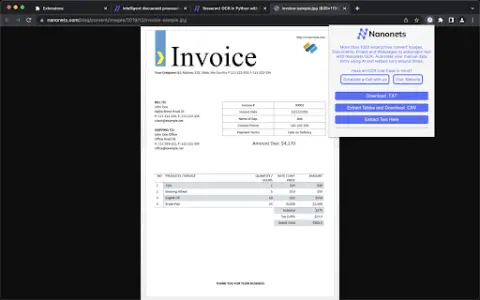
Nanonets OCR is a web crawler, image to text and table extraction tool. It OCRs web pages, extracts text and tables from images and web pages, and provides options for downloading in .txt and .csv file formats. Over 1,000 businesses use Nanonets OCR to convert images, documents, emails, and web pages into actionable text. Automate manual data entry and reduce turnaround time with the help of artificial intelligence.
How to use Nanonets OCR ai chrome extension/plugin?
Extract text and tables from web pages and images using Nanonets OCR. The extracted data can be viewed and downloaded in .txt or .csv file format.
Nanonets OCR ai chrome extension/plugin core functionality
Highly accurate OCR
Quick extraction
Smart table extraction for web pages and images
Supports downloading in .txt and .csv file formats
Related
Jotlify
Jotlify transforms complex research papers into easy-to-understand stories and audio content.
Yomu AI
Yomu is an AI-enhanced writing editor that can assist students and scholars in drafting research papers. It offers features such as document assistance, automatic completion, text editing, citation formatting, and plagiarism checking.
Citeclops
A powerful tool for quickly generating citations
PaperGen
An AI writing assistant designed to help create high-quality, plagiarism-free papers and articles, featuring automated citation functionality.
GetTxt.AI
An API used for extracting text and Markdown from documents, audio files, images, and videos.
Torii Image Translator — Use GPT-4 & DeepL to Translate Any Image
Chrome extension that translates text within images directly in the browser.