AI TOOL / #07221
GPT-4 Vision Screenshot
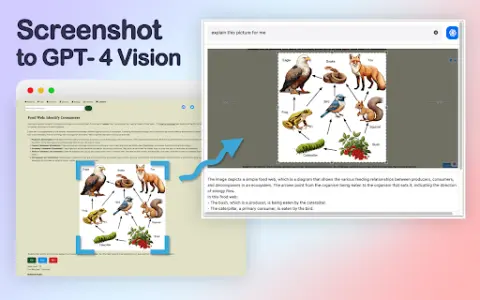
A tool that uses GPT-4 visual AI to extract answers from screenshots.
Introduction
A tool that extracts answers from screenshots using GPT-4 Vision AI.
What is the GPT-4 Vision Screenshot AI Chrome extension/plug-in?
GPT-4 Visual Screenshot is an innovative tool that allows users to select any area of the screen and pose relevant questions. GPT-4 Visual then directly extracts answers from the screenshot, intelligently interpreting the visual content with remarkable accuracy. By providing a fast, in-depth, and interactive search experience, it has completely transformed the way people obtain information.
How to use the GPT-4 Vision Screenshot AI Chrome extension/plug-in?
With just a simple shortcut key, you can select any area on the screen. Once you pose a question related to the selected area, GPT-4 Vision will directly extract the answer from the screenshot.
The core functions of the GPT-4 Vision screenshot AI Chrome extension/plugin
Use GPT-4 visual AI to extract answers from screenshots.
Related
CrxDL
As is well known, it is not possible to access the Google Chrome extension store normally in China. If you want to install extensions for your Chrome browser, you have to first download the corresponding.crx files locally before installing them. CrxDL is exactly a service that allows you to search for such extensions.
docsmall
docsmall is a completely free online image and PDF processing tool that supports image format conversion, image compression, GIF compression, PDF editing, and more. It also supports AI-powered image processing features, such as lossless image enlargement, automatic image cropping, and smart erasing. Below, I’ll share a few features I frequently use
Digital Litchi
Digital Litchi is a genuine software marketplace where you can purchase almost any commonly used software. The platform frequently offers discounts on genuine software, with the prices often being 40% to 60% lower than those available through official channels – which is definitely very cost-effective. For example…
Xianyi AI Image Segmentation
Xianyi AI Image Segmentation Tool is a free, offline AI-based image segmentation tool. It is developed using the large-scale AI models Tauri 2 and RMBG-1.4, allowing for extremely fast segmentation – with speeds reaching the millisecond level. The image below is just a random beauty photo I found online; simply import it into the software, and it will automatically perform the segmentation for you. In fact, the background of this image…
Office Tool Plus
Office Tool Plus is a free and powerful tool for managing Office software installations. It eliminates the difficulties associated with downloading and installing Office applications and allows users to customize the installation process. Additionally, it comes equipped with various useful utilities related to Office.
Parallel translation of PDF documents using Lingban technology
Lingban AI is a browser extension developed using large-scale AI models. It enables your browser to function as an all-round AI assistant, offering features such as AI translation, conversations with AI, AI-assisted writing, AI-based reading and summarization of web pages and papers, information retrieval, note-taking, and drawing tools. With so many efficient capabilities at its disposal, browsing the internet becomes significantly more convenient and productive.