AI TOOL / #08265
LlamaChat
Chat locally with the LLaMA, Alpaca, and GPT4All models on your Mac.
Introduction
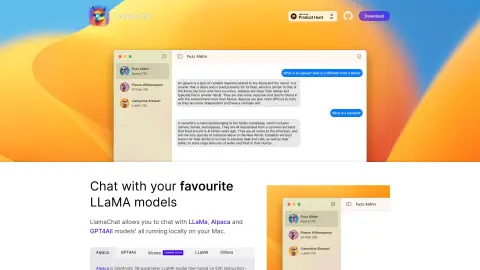
Chat with LLaMA, Alpaca, and GPT4All models locally on your Mac.
What is LlamaChat?
LlamaChat is an application that allows users to engage in local conversations with LLaMA, Alpaca, and GPT4All models on their Mac computers. It supports the import of both original PyTorch model checkpoints and pre-processed .ggml model files. LlamaChat is open-source and free to use, and it is built upon libraries such as llama.cpp and llama.swift.
How to use LlamaChat?
Download LlamaChat and obtain the model files accordingly. Follow the terms and conditions specified by their respective sources, and then import these model files into LlamaChat to start chatting with the selected Large Language Model.
The core features of LlamaChat
Chatting locally with the LLaMA, Alpaca, and GPT4All models
Import either the original PyTorch model checkpoint or the pre-converted .ggml model file.
Open-source and free to use
Related
Insighto.ai
Artificial intelligence-powered phone and chat assistants provide automated customer interactions and support.
Haiva
An AI platform that enables the creation of multilingual voice agents for use in sales and customer interactions.
Auro: AI Social Post Assistant
An artificial intelligence assistant that converts voice memos into organized content for creators.
Aurora AI
Platforms for building AI infrastructure, including natural language question-answering systems and community collaboration tools.
Phonely
Provide enterprises with AI-powered response services to enhance customer communication and expand support capabilities.
LULA
Multilingual artificial intelligence designed for business communications, acting as sales/support representatives.