AI TOOL / #08705
MalwareAI Browser Security
A Chrome extension that uses artificial intelligence to detect and block malicious documents and links.
Introduction
Chrome extension that detects and blocks malicious documents and links using AI.
What is the Malware.AI Browser Security Chrome extension/plug-in?
Malware.AI Browser Security is an extension designed for the Chrome browser. It utilizes intelligent image recognition and self-learning neural networks to detect malware in documents and links. This extension scans both inline documents, downloaded files, and documents contained within links. If any malicious content is identified, it immediately blocks such content, thereby preventing infections and potential adverse consequences.
How to use the Malware.AI Browser Security AI Chrome extension/plug-in?
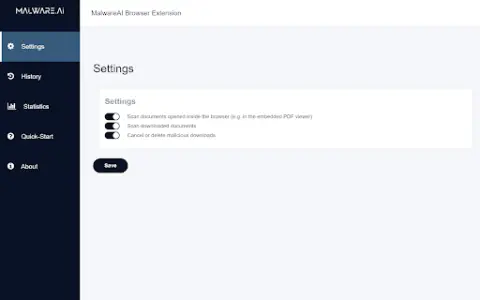
This extension can be accessed through the Chrome right-click menu. It will automatically scan documents and links whenever you open or download them. You can also manually prevent or allow downloads, as well as inline document processing.
The core functions of the Malware.AI Browser Security Chrome extension/plugin.
Using artificial intelligence for malware detection
Scan documents within the line, as well as those downloaded or linked from external sources.
Prevent malicious content.
Manual blocking/unblocking feature
Related
mini-browser-games
An open-source collection featuring 106 active, single-file HTML5 games—all of which are packaged within a single HTML file. No development or backend setup is required; these games can be played online immediately. Quality is the top priority, and this collection includes notable titles such as “Mountain and Sea Demon Subjugation” and “Star Furnace Workshop”; some of them also support online multiplayer mode.
bonds
Group chat apps that integrate with AI assistants
RigSpark
I’ll help you choose an open-source AI model that can be run on that machine.
DuckStation
An open-source PlayStation 1 emulator that places a focus on playable experience, speed, and long-term maintainability. It supports multiple platforms including Windows, Linux, macOS, and Android, making it one of the most popular PS1 emulators currently available.
DOSBox Staging
A modernized version of DOSBox, which provides a more user-friendly simulation environment for DOS games and older software. It is compatible with Windows, macOS, and Linux platforms.
Ryujinx
Another Nintendo Switch emulator, known for its high compatibility and accurate simulation capabilities. Together with Yuzu, it forms a complete ecosystem for Switch emulation. .css-zkfaav{box-sizing:border-box;margin:0;min-width:0;-webkit-align-items:center;-webkit-box-align.center;-ms-flex-align.center;align-