AI TOOL / #08712
Proof&Trust
Automate supplier risk assessment tools to save time and money.
Introduction
Automated vendor risk assessment tool saving time and money.
What is Proof&Trust?
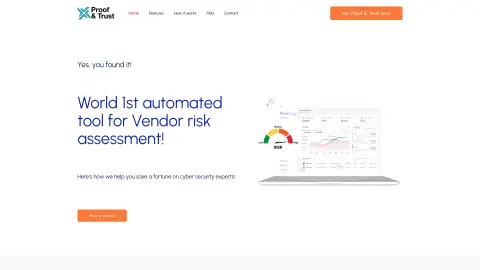
Proof & Trust is an automated tool designed to simplify and optimize supplier risk assessment. It helps businesses save time and money by automating the risk assessment process, eliminating manual processes and the need for expensive outside consultants. The platform offers a user-friendly interface and leverages artificial intelligence to provide actionable insights and recommendations for proactive risk management.
How to use Proof&Trust?
To use Proof & Trust, add your vendors to the platform. Suppliers will receive an email link containing the questionnaire. They complete questionnaires, provide evidence and answer questions. Algorithms analyze responses and provide a comprehensive report with actionable insights.
Core Features of Proof&Trust
Automated supplier risk assessment
Artificial intelligence-based risk analysis
User friendly interface
Comprehensive reporting
Flexible subscription options
Related
Douban Reading
Book rating and reviews
Chrome App Store
Google Chrome extensions
Beginner Tutorial
Programming Introduction Tutorial
Steam
game platform
IvyCraft AI content generation platform
IvyCraft is an AI content generation platform. Upload existing data such as PDF, Word, and web pages to generate PPT, infographics, podcasts, and videos based on the original content. It also supports the creation of comics, picture books, and social media content. The generated PPT and infographic can be continued
Ask Academic-Academic Edition codex
Programmers have been completely changed by Codex. Instead of typing out code line by line, they can throw requirements to AI and let it write code, run tests, fix bugs, and deliver in a closed-loop. So here comes the question: isn’t the work that scientific researchers do every day “configuring environments, running experiments, copying codes, and checking