AI TOOL / #01418
MimicPC
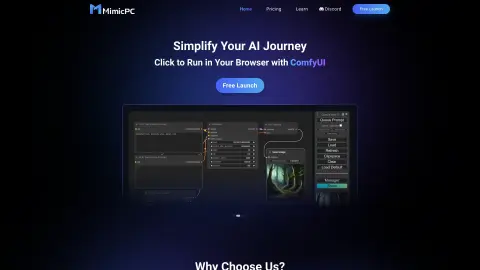
MimicPC: an affordable, customizable, open-source AI platform accessible from any browser.
Introduction
MimicPC: Affordable, customizable open-source AI platform accessible from any browser.
What is MimicPC?
MimicPC lets users access popular open-source AI apps through the browser on any device, with no expensive hardware or installation steps. It offers a customizable and affordable open-source AI platform where users can save plugins, models, and configurations in a private cloud workspace and switch GPUs at any time to suit different needs. Users can create AI images, videos, and audio, train LoRA models without deployment, and add custom models for endless possibilities—all at a budget-friendly price.
How do you use MimicPC?
Access MimicPC through the browser on any device. After logging in, select an AI app, configure the settings, and start creating. Upload custom models and nodes to personalize your experience.
MimicPC's core features
Access pre-installed AI apps
Customizable AI models and nodes
Workflow template
Affordable GPU Performance
Private cloud workspace
Related
StructiFi
AI-powered OCR and data extraction tool for structured data conversion.
Nanonets Web Scraper & Image to Text OCR
Web crawlers, tools for converting images into text, and programs for extracting data from tables – all equipped with OCR functionality.
Screenova
Screenova is a Chrome extension designed for capturing screenshots, extracting text data, and performing AI-driven analyses.
JPG to Text
Online OCR tools are used to extract text from images and convert it into editable format.
Unitlab AI
AI-powered data annotation platform that delivers accurate machine learning labels and efficient collaboration.
voxel51.com
Voxel51 enables developers in the field of visual artificial intelligence to design datasets and create more efficient models.