AI TOOL / #03814
AI Email Summaries
A Chrome extension that uses AI to generate email summaries for Gmail users.
Introduction
Chrome extension for AI-powered email summaries in Gmail.
What are AI Email Summaries, and what are these extensions/plugins for Chrome?
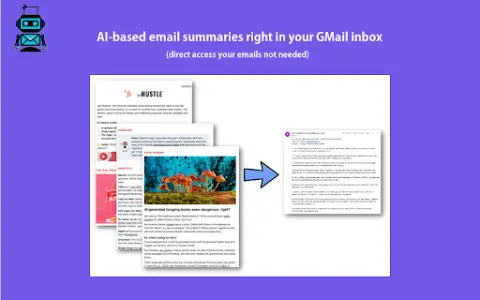
AI Email Summary is a Chrome extension designed for Gmail users, aimed at helping those who are overwhelmed by lengthy emails and newsletters. It provides concise summaries generated by AI, enabling users to quickly understand the content of their emails and thus save time. This extension also offers features such as one-click email forwarding and automatic filter creation to streamline the process of generating these summaries.
How to use the AI Email Summaries Chrome extension?
1) Click on the expansion icon.
2) Log in using your Google account.
3) A new icon will appear in your Gmail inbox, allowing you to forward emails to AI Mail Summary and create automatic forwarding filters. To use these forwarding filters, please register for a paid account, go to Gmail Settings, add [email protected] as the forwarding address, and verify it by sending an email to that address.
The core functionality of the AI Email Summaries extension for Chrome.
Email summary generated by AI
One-click email forwarding
Automatically create filters
Related
Mianfeisms proxy connection
Receive text messages for free online and get access to free phone numbers (www.mianfeisms.xyz) to receive messages from countries such as China, the United States, and the United Kingdom. You can register for our APP or create an account using one of our free phone numbers.
Loomi
An AI content creation platform that integrates the capabilities of multiple models
Vibrantsnap
Turn a screen recording into a product demonstration video with just one click.
PixEditor AI
An online AI image editor that allows users to modify images with just one sentence.
Dimly AI
Automatically convert songs into AI-generated music videos
Relax-Game-Toolkit
A collection of pure-front-end, dependency-free mini-games – a single HTML file contains approximately 20 games and relaxation tools, such as the electronic wooden fish game, 2048, Snake, Minesweeper, and more. After downloading the index.html file (about 315KB), double-click it to play in any browser. These games are compatible with mobile touchscreens and support local storage of game saves.